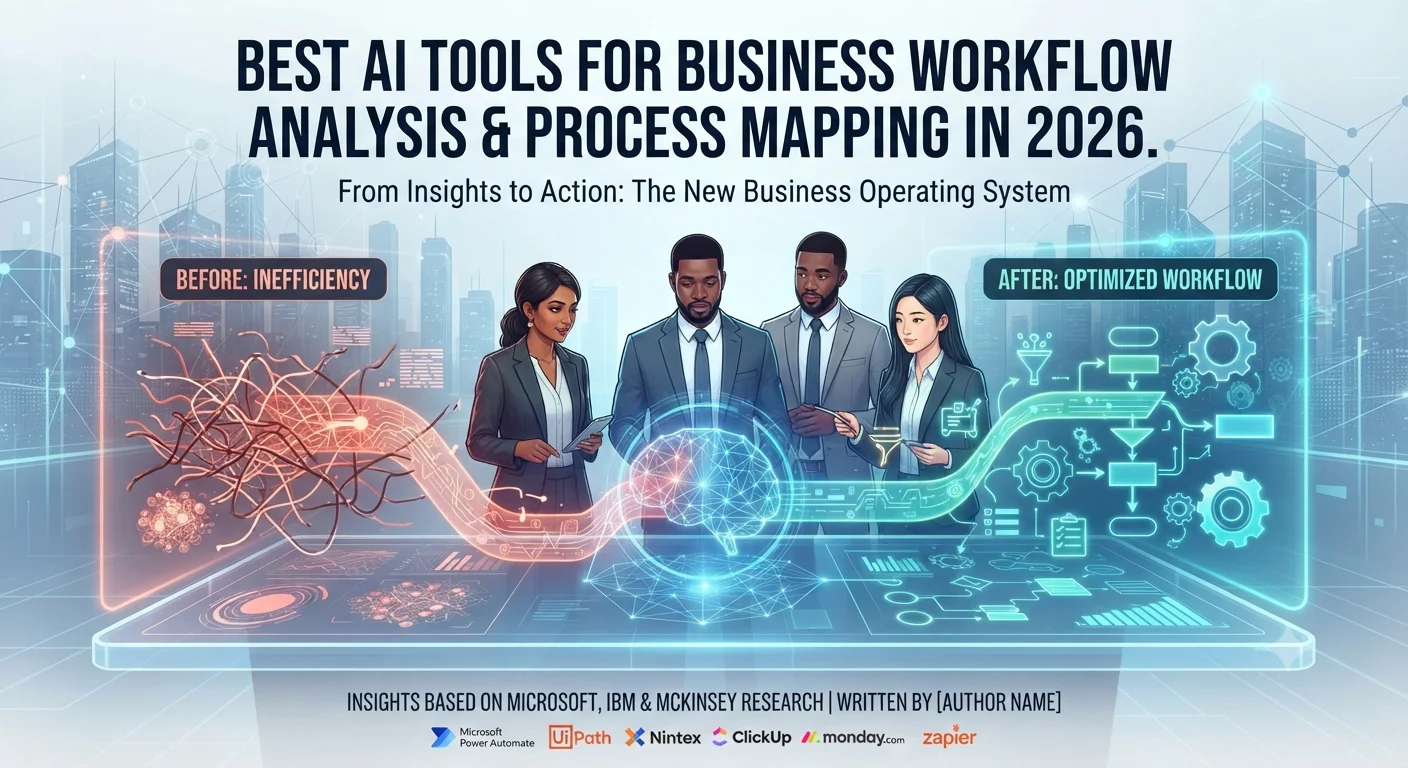
Introduction: AI Workflow Tools Are Becoming the New Business Operating System
Business operations in 2026 are changing faster than ever. Companies are no longer using artificial intelligence only for simple automation tasks like chatbots or content generation. Modern AI workflow tools can analyze business processes, identify inefficiencies, create process maps, automate repetitive activities, and help teams make faster decisions.
If you are searching for the best AI tools for business workflow analysis and process mapping in 2026, the right solution depends on your organization’s goals, existing technology stack, budget, and automation requirements.
From startups managing daily operations to enterprises redesigning complex workflows, AI-powered business process management platforms are becoming an important part of digital transformation strategies.
Recent industry research shows that AI adoption has moved beyond experimentation. According to Microsoft’s Work Trend Index 2024, 75% of knowledge workers globally were already using AI at work, while 79% of leaders said their organizations needed to adopt AI to remain competitive.
However, successful AI adoption is not only about buying new software. Companies also need proper workflow design, employee training, security controls, and responsible AI practices.
This is where AI workflow analysis and process mapping tools become valuable.
They help businesses answer important questions:
- Where are workflow bottlenecks happening?
- Which tasks can be automated?
- How can teams reduce repetitive work?
- Which processes need improvement?
- How can AI support employees without creating unnecessary risks?
In this guide, we will review the best AI workflow automation and process mapping tools for 2026, compare their features, and explain how businesses can choose the right platform.
In this guide, we analyze the best AI tools for business workflow analysis and process mapping in 2026 and explain how they help organizations automate operations.

Why Are AI Tools for Business Workflow Analysis Important in 2026?
The biggest challenge for modern organizations is not a lack of technology. It is managing increasing complexity.
Employees deal with:
- Too many applications
- Repetitive administrative tasks
- Large amounts of business data
- Slow approval processes
- Communication overload
- Manual reporting
AI workflow tools help organizations analyze these problems and create smarter processes.
Instead of manually documenting every business activity, AI-powered platforms can discover workflows, analyze performance patterns, and suggest improvements.
For example:
A sales team may use AI workflow analysis to identify why leads are taking too long to reach representatives.
A finance department may use AI automation to reduce manual invoice processing.
An HR department may automate employee onboarding, document approvals, and internal requests.
A customer support team may use AI to categorize complaints and automatically assign tickets.
The goal is not simply automation.
The goal is creating faster, more transparent, and more efficient business operations.
What Do Recent AI Adoption Reports Reveal About Business Automation?
Microsoft Work Trend Index: AI Adoption Is Moving Into Everyday Work
Microsoft and LinkedIn’s Work Trend Index 2024 analyzed responses from 31,000 knowledge workers across 31 countries along with Microsoft 365 productivity signals.
The report found that AI is already becoming part of daily workplace activities.
Key findings include:
- 75% of knowledge workers use AI at work
- 46% of AI users started using AI less than six months ago
- 90% of users reported AI helps them save time
- 85% said AI helps them focus on important work
- 84% said AI improves creativity
The research also highlighted a major challenge: many employees are adopting AI faster than organizations can create official strategies.
According to the report:
- 78% of AI users bring their own AI tools to work (BYOAI)
- 79% of leaders believe AI adoption is necessary to stay competitive
- 60% of leaders worry their organization lacks a clear AI implementation plan
This shows why businesses need structured AI workflow systems instead of disconnected individual AI usage.
When AI tools are integrated into business processes, organizations can improve productivity while maintaining security and governance.
Reference: Microsoft & LinkedIn — Work Trend Index 2024: AI at Work Is Here. Now Comes the Hard Part.
IBM Research: Businesses Are Accelerating AI Adoption
AI adoption is also expanding globally across different industries.
IBM’s Global AI Adoption Index 2023 examined AI adoption trends among more than 8,500 IT professionals worldwide, including businesses in the United Arab Emirates.
The UAE findings showed strong momentum:
- 42% of UAE companies had already deployed AI in business operations
- 65% of UAE IT professionals reported accelerated AI rollout during the previous 24 months
- 34% of UAE companies had a comprehensive AI strategy
- 30% were developing an AI strategy
The report identified major reasons businesses are adopting AI:
- Improving operational efficiency
- Automating repetitive processes
- Reducing costs
- Increasing innovation
- Enhancing business decision-making
These findings demonstrate that AI workflow automation is becoming a strategic business priority rather than just an experimental technology.
Reference: IBM — 2023 Global AI Adoption Index: UAE Findings.
McKinsey AI Trust Research: Automation Requires Governance
As businesses move toward more advanced AI systems, especially AI agents that can make decisions and perform actions automatically, trust and governance have become critical.
McKinsey’s AI Trust Maturity Survey 2026 studied approximately 500 organizations to understand how companies are preparing for responsible AI adoption.
The research found:
- Responsible AI maturity improved from previous years.
- Security and risk concerns remain the biggest barrier to scaling agentic AI.
- Inaccuracy and cybersecurity are among the most common AI risks.
- Organizations with clear AI responsibility ownership achieved higher maturity levels.
One of the biggest lessons from the research is that businesses cannot focus only on automation speed.
They also need:
- AI governance policies
- Security controls
- Data protection practices
- Employee training
- Clear accountability
For workflow automation, this means companies should choose platforms that provide not only productivity features but also enterprise-level security and control.
Reference: McKinsey — State of AI Trust in 2026: Shifting to the Agentic Era.
How AI Workflow Analysis Tools Improve Business Processes
AI workflow platforms combine automation, analytics, and process intelligence to improve operations.
1. AI-Powered Process Discovery
Traditional process mapping requires employees to document workflows manually.
This can take weeks or even months.
AI process discovery tools analyze:
- Employee activities
- Application usage
- Business data flows
- Repetitive patterns
They can identify:
- Hidden workflows
- Process delays
- Duplicate tasks
- Inefficient steps
This allows organizations to improve processes based on real operational data instead of assumptions.
2. Automated Business Process Mapping
Process mapping helps businesses visualize how work moves between teams and systems.
Modern AI workflow tools can generate:
- Flowcharts
- Process diagrams
- SOP documentation
- Approval workflows
- Department-level process maps
For example, a customer onboarding process can be mapped as:
| Step | Process | Description |
|---|---|---|
| 1 | Customer Signup | A new customer creates an account or submits their details through an onboarding form. |
| 2 | Data Verification | The system checks customer information to ensure accuracy and completeness. |
| 3 | CRM Entry | Customer data is automatically added to the CRM for centralized management. |
| 4 | Sales Notification | The sales team receives an alert about the new customer or opportunity. |
| 5 | Follow-Up Scheduling | Automated reminders and tasks are created for future communication. |
| 6 | Customer Activation | The customer completes the onboarding process and gains access to the required services or features. |
AI tools can analyze each step and recommend automation opportunities.
3. Workflow Automation and Task Management
AI automation reduces manual workload by handling repetitive processes.
Common examples include:
Sales Workflow
| Step | Process | Description |
|---|---|---|
| 1 | Lead Submission | A potential customer submits their information through a website form, landing page, or sales channel. |
| 2 | CRM Entry | Lead details are automatically stored in the CRM system for tracking and management. |
| 3 | Sales Notification | The sales team receives an instant notification about the new lead. |
| 4 | Follow-Up Scheduling | Automated reminders and follow-up tasks are created to maintain customer engagement. |
Customer Support Workflow
| Step | Process | Description |
|---|---|---|
| 1 | Customer Complaint Received | A customer submits a complaint, question, or support request through a service channel. |
| 2 | AI Categorizes Issue | AI analyzes the request and identifies the correct category or priority level. |
| 3 | Support Ticket Created | A support ticket is automatically generated to track the issue. |
| 4 | Team Member Assigned | The request is assigned to the appropriate support representative for resolution. |
Marketing Workflow
| Step | Process | Description |
|---|---|---|
| 1 | Campaign Launched | A marketing campaign is created and launched across selected channels. |
| 2 | Customer Responses Collected | Customer interactions, feedback, clicks, and engagement data are automatically gathered. |
| 3 | Reports Generated | Campaign performance data is organized into detailed reports for analysis. |
| 4 | Performance Insights Created | The system identifies trends and insights to help improve future marketing decisions. |
By automating these workflows, businesses can improve response times and reduce human errors.
Comparison Table: Best AI Tools for Business Workflow Analysis and Process Mapping in 2026
Choosing the right AI workflow platform depends on your business size, technical requirements, existing software ecosystem, and automation goals.
Some platforms focus on enterprise automation, while others are designed for startups and small teams.
| Microsoft Power Automate | Microsoft ecosystem and enterprise workflows | ⭐⭐⭐⭐⭐ | Excellent | Excellent |
| UiPath | Enterprise automation and RPA | ⭐⭐⭐⭐⭐ | Excellent | Outstanding |
| Nintex | Business process management | ⭐⭐⭐⭐⭐ | Excellent | Excellent |
| ClickUp AI | Startups and productivity teams | ⭐⭐⭐⭐ | Good | Excellent |
| Monday AI | Visual workflow management | ⭐⭐⭐⭐ | Good | Excellent |
| Zapier AI | No-code automation | ⭐⭐⭐⭐ | Limited | Excellent |
| Asana AI | Project workflow management | ⭐⭐⭐⭐ | Good | Excellent |
| Notion AI | Documentation and knowledge management | ⭐⭐⭐⭐ | Basic | Moderate |
Microsoft Power Automate: Best AI Workflow Automation Tool for Microsoft Users
Is Microsoft Power Automate one of the best AI workflow tools in 2026?
For organizations already using Microsoft products, Microsoft Power Automate remains one of the strongest choices for workflow automation and business process improvement.
The platform combines automation, AI assistance, robotic process automation (RPA), and process mining capabilities to help companies analyze and optimize operations.
Businesses can create workflows using natural language descriptions, allowing users to build automation without extensive coding knowledge.
For example, a company can create a workflow where:
| Step | Process | Description |
| 1 | Customer Submits a Request | A customer sends a query, service request, or inquiry through a digital channel. |
| 2 | AI Analyzes the Request | Artificial intelligence reviews the request and identifies the required action or category. |
| 3 | Data Stored in CRM | Customer information and request details are automatically saved in the CRM system. |
| 4 | Employee Notification Sent | The responsible team member receives an alert to handle the request. |
| 5 | Follow-Up Tasks Created | Automated tasks and reminders are generated to ensure timely completion. |
Best For
- Microsoft 365 organizations
- Enterprise businesses
- Finance departments
- IT teams
- Large operational workflows
Key Features
- AI-assisted workflow creation
- Process mining
- Robotic Process Automation (RPA)
- Document processing
- Approval automation
- Microsoft 365 integration
- Cloud workflow automation
Advantages
✅ Strong Microsoft ecosystem integration
✅ Enterprise security features
✅ Powerful automation capabilities
✅ Supports complex business processes
Limitations
❌ Advanced features require premium plans
❌ Beginners may need training for complex workflows
Best Choice For: Businesses that already rely heavily on Microsoft Teams, Outlook, Excel, SharePoint, and other Microsoft services.
UiPath: Best Enterprise AI Automation Platform
Why do large organizations choose UiPath?
UiPath is one of the leading enterprise automation platforms combining robotic process automation, AI agents, process mining, and intelligent document processing.
Unlike simple workflow automation tools, UiPath focuses on automating complex business operations at scale.
Large organizations use UiPath for:
- Banking operations
- Insurance workflows
- Manufacturing processes
- Healthcare administration
- Customer service automation
Key Features
- AI-powered automation
- Process discovery
- Robotic process automation
- Intelligent document processing
- Workflow analytics
- AI agents
Advantages
✅ Enterprise-grade automation
✅ Powerful process intelligence
✅ Handles complex workflows
✅ Strong scalability
Limitations
❌ Higher implementation costs
❌ Requires technical expertise for advanced deployment
Best Choice For: Large organizations managing thousands of repetitive processes.
Nintex: Best AI Business Process Management Platform
Is Nintex useful for business process mapping?
Yes. Nintex is designed specifically for organizations that need structured business process management.
It helps companies visualize, automate, and improve workflows across departments.
Nintex is commonly used by:
- Government organizations
- Healthcare companies
- Financial institutions
- Enterprise businesses
Key Features
- Process mapping
- Workflow automation
- Digital forms
- Document generation
- Process analytics
- Compliance workflows
Advantages
✅ Strong BPM capabilities
✅ Excellent process documentation
✅ Enterprise workflow management
Limitations
❌ Premium pricing
❌ Better suited for larger organizations
Best Choice For: Companies that need detailed process governance and compliance management.
ClickUp AI: Best All-in-One AI Productivity Platform
Why is ClickUp AI popular among growing businesses?
ClickUp AI combines project management, documentation, collaboration, task automation, and AI assistance into one platform.
Many startups and remote teams choose ClickUp because it reduces the need for multiple productivity tools.
Instead of managing projects, documents, communication, and workflows separately, teams can organize everything in one workspace.
Best For
- Startups
- Marketing agencies
- Remote teams
- Software companies
- Small businesses
Key Features
- AI writing assistant
- Task automation
- Workflow templates
- Goals and OKRs
- Document management
- Meeting summaries
- Knowledge management
Advantages
✅ Affordable compared with enterprise platforms
✅ Flexible customization
✅ Strong collaboration features
✅ Good for remote teams
Limitations
❌ Large feature set can feel overwhelming
❌ Initial setup requires planning
Best Choice For: Teams wanting an affordable AI-powered workspace.
Monday AI: Best Visual Workflow Management Tool
Is Monday AI good for process visualization?
Monday AI is a strong option for companies that prefer visual workflow management.
Its board-based system allows teams to design processes, track tasks, automate actions, and monitor performance.
It is especially useful for:
- Marketing teams
- Sales departments
- Agencies
- Operations managers
Key Features
- Visual workflow boards
- AI-generated summaries
- Automation rules
- Dashboards
- CRM features
- Team collaboration
Advantages
✅ Easy-to-understand interface
✅ Excellent workflow visualization
✅ Strong team collaboration
Limitations
❌ Pricing increases as teams grow
❌ Advanced automation may require higher plans
Best Choice For: Businesses that want simple visual workflow management.
Zapier AI: Best No-Code Automation Platform
Why do small businesses prefer Zapier AI?
Zapier has become popular because it connects thousands of applications without requiring programming skills.
With AI features, users can describe automation ideas in natural language and create workflows faster.
Example:
“When a customer fills a form, automatically add them to CRM, send an email, and notify the sales team.”
Zapier can help create this workflow automatically.
Best For
- Small businesses
- Freelancers
- Ecommerce stores
- Marketing teams
Key Features
- AI workflow builder
- Thousands of integrations
- Multi-step automation
- App connections
- Task scheduling
Advantages
✅ Extremely beginner-friendly
✅ Huge integration ecosystem
✅ Fast setup
Limitations
❌ Costs increase with higher usage
❌ Limited advanced process mapping features
Best Choice For: Businesses needing simple automation without technical complexity.
Asana AI: Best AI Tool for Project-Based Workflows
Asana AI focuses on helping teams manage projects, tasks, deadlines, and collaboration.
It helps teams:
- Prioritize work
- Identify project risks
- Generate summaries
- Automate repetitive tasks
Key Features
- AI task prioritization
- Workflow automation
- Project reporting
- Goal tracking
- Team collaboration
Advantages
✅ Easy learning curve
✅ Strong project management features
✅ Reliable integrations
Limitations
❌ Advanced AI features require premium plans
❌ Less flexible for complex enterprise automation
Best Choice For: Marketing teams, project managers, and agencies.
Notion AI: Best for AI Documentation and Knowledge Management
Notion AI is not a traditional workflow automation platform, but it plays an important role in organizing business knowledge.
Companies use it for:
- SOP documentation
- Internal knowledge bases
- Meeting notes
- Team documentation
- Project information
Key Features
- AI writing assistant
- Meeting summaries
- Documentation creation
- Team wiki
- Knowledge management
Advantages
✅ Simple interface
✅ Excellent documentation capabilities
✅ Affordable for small teams
Limitations
❌ Limited automation compared with dedicated workflow platforms
❌ Not designed for complex enterprise processes
Best Choice For: Teams that need better documentation and internal knowledge organization.

How to Choose the Best AI Workflow Software for Your Business in 2026?
Selecting the right AI workflow analysis and process mapping tool is not about choosing the platform with the most features.
The best solution is the one that matches your business goals, existing technology environment, team skills, and future growth plans.
Before investing in any AI workflow software, consider these important factors.
1. Identify Which Business Processes Need Improvement
The first step is understanding where your business is losing time, money, or productivity.
Common workflow problems include:
- Slow approval processes
- Manual data entry
- Repetitive administrative tasks
- Poor team communication
- Lack of process visibility
- Delayed customer responses
For example:
A sales department may need automation for lead management.
An HR team may want to improve employee onboarding.
A finance department may need automated invoice approval.
The right AI workflow tool should solve a specific operational problem instead of adding unnecessary complexity.
2. Evaluate AI Automation Capabilities
Not all AI workflow platforms provide the same level of intelligence.
Basic automation tools follow predefined rules.
Advanced AI workflow platforms can:
- Analyze business processes
- Predict delays
- Recommend improvements
- Generate workflows
- Understand natural language instructions.
- Support AI agents
In 2026, businesses are increasingly moving toward AI systems that can make decisions and coordinate tasks across multiple applications.
However, organizations must also consider security and governance.
McKinsey’s AI Trust Maturity Survey 2026 highlighted that security and risk concerns are among the biggest barriers preventing companies from scaling agentic AI.
This means businesses should evaluate both productivity features and responsible AI capabilities.
3. Check Integration Support
A powerful AI workflow tool should work with your existing business applications.
Important integrations include:
- Microsoft 365
- Google Workspace
- Salesforce
- HubSpot
- Slack
- Jira
- Trello
- Dropbox
- CRM systems
- Accounting platforms
Strong integrations help businesses avoid disconnected systems and create smoother workflows.
For example:
A marketing team can connect CRM data, email campaigns, analytics platforms, and project management tools into one automated workflow.
4. Consider Security and AI Governance
As companies increase AI adoption, protecting business data becomes more important.
Modern organizations should look for:
- Data protection controls
- User permissions
- Compliance support
- AI monitoring
- Audit capabilities
- Responsible AI policies
According to McKinsey’s research, organizations with clear ownership and accountability for responsible AI achieve higher maturity levels than companies without dedicated AI governance.
AI automation should improve productivity without creating unnecessary business risks.
Best AI Workflow Tools Based on Business Size
Different businesses require different solutions.
| Freelancer | Notion AI | Documentation and organization |
| Startup | ClickUp AI | All-in-one productivity platform |
| Small Business | Zapier AI | Simple no-code automation |
| Growing Company | Monday AI | Visual workflows and collaboration |
| Medium Business | Microsoft Power Automate | Advanced automation and integrations |
| Enterprise | UiPath | Large-scale AI automation |
| Large Enterprise | Nintex | Business process management |
What Are the Biggest AI Workflow Trends in 2026?
Artificial intelligence is changing workflow management rapidly.
Several trends are shaping how businesses automate processes.
1. AI Agents Are Transforming Business Automation
Traditional automation follows fixed rules.
AI agents are different because they can:
- Understand goals
- Make decisions
- Complete tasks
- Interact with multiple systems.
For example:
A traditional workflow:
Customer request → Employee review → Approval → Completion
An AI agent workflow:
Customer request → AI analyzes request → Checks company rules → Updates systems → Notifies employees
However, organizations must implement strong controls because autonomous AI systems create new security and governance challenges.
2. Natural Language Workflow Creation
One of the biggest changes in AI workflow software is the ability to create automation using natural language.
Instead of manually building complex workflows, users can describe what they need.
Example:
“Create a workflow that sends new customer information to our CRM, alerts the sales team, and schedules a follow-up.”
AI can help generate the workflow structure.
This makes automation accessible to non-technical employees.
3. AI Process Mining and Discovery
Many businesses have undocumented processes.
Employees often create their own methods for completing tasks, making it difficult for managers to understand how work actually happens.
AI process mining helps discover:
- Hidden workflows
- Inefficient steps
- Repeated activities
- Process bottlenecks
This allows companies to improve operations using real data.
4. Intelligent Document Processing
Businesses handle thousands of documents every day.
AI workflow platforms can process:
- Invoices
- Contracts
- Forms
- Reports
- Customer documents
AI can extract information, classify documents, and automatically trigger workflows.
This is especially valuable in:
- Finance
- Healthcare
- Insurance
- Legal operations
5. AI Skills and Employee Training Become Critical
Technology alone does not guarantee successful AI adoption.
Employees need proper training.
Microsoft’s Work Trend Index found that many workers are already using AI tools independently, but organizations often struggle to provide official guidance.
The report showed:
- Employees are adopting AI faster than company policies.
- AI skills are becoming increasingly important for hiring.
- Training is becoming a major factor in successful AI implementation.
Companies that invest in AI education are more likely to achieve long-term benefits.
Frequently Asked Questions (FAQs)
The best AI workflow tool depends on business requirements.
Microsoft Power Automate is excellent for Microsoft-based organizations, while UiPath and Nintex are stronger choices for enterprise automation. Startups and smaller teams may prefer ClickUp AI, Monday AI, or Zapier AI.
Yes. Modern AI process mapping tools can analyze workflows, identify process patterns, and generate visual process maps.
Platforms such as Microsoft Power Automate, UiPath, and Nintex provide advanced process analysis capabilities.
Yes.
Small businesses can benefit from AI workflow platforms by automating repetitive tasks, improving team collaboration, and reducing manual work.
Tools like Zapier AI, ClickUp AI, and Monday AI are designed to be easier for smaller teams.
Workflow automation focuses on completing tasks automatically.
Process mapping focuses on understanding and visualizing how work moves through an organization.
Together, they help businesses identify problems and create more efficient operations.
Yes.
As AI systems become more powerful, businesses need proper governance, security controls, and responsible AI practices.
Research from McKinsey shows cybersecurity and AI risk management remain major concerns for organizations adopting advanced AI systems.
AI is more likely to transform many roles rather than completely replace them.
Microsoft and LinkedIn research shows that AI skills are becoming valuable across industries, and employees who develop AI capabilities may gain new career opportunities.
Final Verdict: Choosing the Right AI Workflow Tool in 2026
AI workflow analysis and process mapping tools have evolved from simple automation software into strategic business platforms.
Companies are using AI to:
- Understand their processes
- Reduce repetitive work
- Improve decision-making
- Increase productivity
- Create scalable operations
Research from Microsoft, IBM, and McKinsey shows that AI adoption is accelerating worldwide, but successful implementation requires more than technology.
Businesses need:
- Clear AI strategies
- Employee training
- Security practices
- Responsible AI governance
For Microsoft-focused organizations, Microsoft Power Automate remains one of the strongest options.
For enterprise automation, UiPath and Nintex provide advanced capabilities.
For startups and growing teams, ClickUp AI, Monday AI, and Zapier AI offer flexible solutions.
The best AI workflow platform in 2026 is the one that solves your biggest operational challenges while supporting long-term growth.
Start with one high-impact workflow, measure results, and expand automation gradually.
Companies that combine AI technology with smart process design will be better positioned to compete in the future of work.
Reference: Deloitte — State of Generative AI in the Enterprise Report.
Is Droven.io AI Automation Tools Worth It? (2026 Review)